Ebook & audiobook reader for Android

Read and listen to
every kind of book.

Lectern opens EPUB, PDF, comics and more, reads them aloud when you want, and keeps your place in sync across devices. Everything stays on your phone. No account, no ads, and no one keeping tabs on what you read.

  • Works offline
  • No ads
  • No account
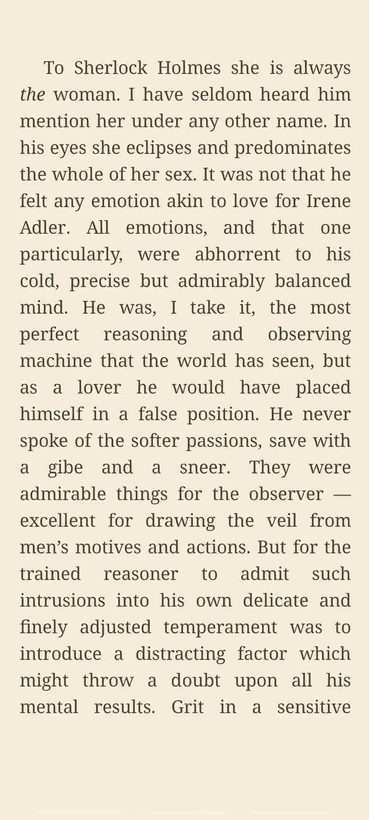
The Lectern reader showing a book page in clean serif type on a warm page

One reader for your whole shelf

  • EPUB
  • EPUB3
  • PDF
  • MOBI
  • KF8
  • FB2
  • TXT
  • CBZ
  • CBR
  • CB7
  • Fixed-layout

A look inside

How it really looks

Real screens from the app, not mock-ups.

The Lectern library showing a grid of book covers
Your libraryCovers, search, groups and filters
A reading page in Lectern with careful serif type on a warm page
The readerCareful type, set up your way
The reader in audio mode with playback controls for reading a book aloud
ListenRead-aloud with on-device voices
Lectern reader settings with theme swatches, fonts and spacing controls
Make it yoursThemes, fonts and presets
The statistics screen with a daily reading tracker, streak and activity heatmap
Your readingStreaks, goals and a heatmap
Browsing OPDS catalogs such as Project Gutenberg to download public-domain books
Find booksPublic-domain OPDS catalogs built in

What it does

A lot, without getting in your way

Six things Lectern is built around. Most of the depth stays out of sight until you go looking for it.

Read it your way

Pick a theme, a font (OpenDyslexic is in there) and the size, spacing and margins you like, or tap a reading profile and start. Page or scroll, full-screen or not. It keeps drop caps, verse and scene breaks the way the author set them.

Listen to any book

Have a book read aloud with on-device voices, from your system's to higher-quality Piper and Kokoro packs. It highlights the sentence as it goes and plays narrated EPUB3 books too.

More on listening →

Sync, on your terms

Keep your reading in step across phones and tablets through a folder you control on Drive, Dropbox, OneDrive or Nextcloud. Progress, bookmarks, highlights and ratings come along. No account, no server.

How sync works →

Bring in books

Open files you already have, or pull public-domain titles from Standard Ebooks and Project Gutenberg over OPDS. Add your own catalog, or send a book straight from another app. Missing covers get found for you.

Study & annotate

Highlight in colour, add notes, and browse them per book or share one as a quote card. Look up any word in the built-in dictionary, keep it in a vocabulary list with spaced repetition, and search the whole book.

Organize & track

Group by author, series, genre or language, make your own collections, and filter or sort however you read. A stats screen follows your time, streaks and goals, with a heatmap and a year-in-review to share.

Listening

A reader and an audiobook player in one

Lectern can read any book to you with offline voices, follow narrated audio, or play an audiobook you already own. It all runs on the device, so it works on a plane or in the woods.

  • On-device voices: your system's, plus Piper and Kokoro packs
  • Read-along highlighting, sentence by sentence
  • Narrated EPUB3 books through Media Overlays
  • Link your own M4B or MP3 audiobook to a book
  • Lively reading: questions lift, exclamations quicken
  • Set the speed, pitch and pauses between sentences
  • Ambient tracks: rain, fireplace, forest, brown noise and more
  • Sleep timer, and the screen stays on while it reads

Now reading aloud

A Clash of KingsPrologue · Kokoro voice

The maester stood on the windswept balcony. Here the ravens came, after long flight.

1.0×Sentence highlightRainSleep 20 min

Your own sync

Pick up where you left off, anywhere

There's no Lectern account and no server in the middle. Sync runs through a folder you already own, so your reading travels between your phone and tablet and nobody else ever sees it.

  • Use a folder on Drive, Dropbox, OneDrive or Nextcloud
  • Reading position, bookmarks, highlights and ratings stay in step
  • Each device writes its own snapshot, merged automatically
  • A clear picker when two devices disagree
  • Back up and restore everything to a single file
  • Import your Kindle highlights from My Clippings

In step across devices

PhoneChapter 14 · 62% synced
TabletChapter 14 · 62% synced
Your cloud folderProgress · bookmarks · highlights yours

Reads the way it was written

The bits other readers throw away

Most apps mash a poem into one justified blob and turn a scene break into a thin grey line. Lectern keeps what the author meant, and still reads the same from one book to the next.

  • Verse keeps its line breaks instead of stretching to the edge
  • Scene breaks become a small centered ornament
  • Chapters can open with a proper drop cap
  • Tables, footnotes and images render in place
Poetry, intact

Roses are red,violets are blue,sugar is sweet,and so are you.

Scene breaks, with grace

…and the door fell shut behind her.

* * *

Morning found the camp already broken…

The long list

And quite a bit more

There's a lot here. None of it shouts for attention until you need it.

Reading

  • Page-turn or continuous scroll
  • Immersive full-page mode
  • Focus modes: paragraph dim, line band, sentence reveal
  • Quick Read (word-by-word RSVP)
  • Auto-scroll pacer
  • Reading tints, brightness & warmth
  • Tap zones and volume-button page turns
  • Custom colours and reading width

Listening

  • System, Piper and Kokoro voices
  • Downloadable voice packs
  • Speed, pitch and sentence pauses
  • Lively prosody
  • Ambient sound tracks
  • Sleep timer and keep-screen-on
  • Link external audiobooks
  • EPUB3 Media Overlays

Library

  • Group by author, series, genre, language
  • Your own collections
  • Filters and sorting
  • Favourites and reading status
  • Hidden books
  • Edit metadata and covers
  • Duplicate finder
  • Scan multiple folders

Study

  • Colour highlights with notes
  • Highlight browser
  • Share a quote as a card
  • Bookmarks
  • WordNet and custom dictionaries
  • Vocabulary with spaced repetition
  • Pronunciation overrides
  • In-book search and contents

Stats

  • Daily reading tracker
  • Streaks and best streak
  • Reading goals
  • Per-book and all-time stats
  • Activity heatmap
  • Yearly recap you can share

Import & export

  • Kindle clippings import
  • Highlights to Markdown or JSON
  • Restore highlights from a backup
  • Full progress backup and restore
  • Share-sheet book import

PDF & comics

  • PDF reflow to flowing text
  • PDF search and night/sepia modes
  • Comics in CBZ, CBR and CB7
  • Manga (right-to-left) order
  • Fit-to-width, zoom and pan locks

Privacy & access

  • Works fully offline
  • No account and no tracking
  • English, Dutch, German, French
  • Reduce-motion and e-ink friendly
  • Haptic feedback you can turn off
  • Lock-screen media controls

Nobody's looking over your shoulder

No account, no analytics, none of the usual tracking. Your books, highlights and progress sit on your phone, and sync only through a folder you own. The reader works completely offline; it goes online when you ask it to, to fetch a catalog or sync. What you read stays your business.

Good to know

Frequently asked

How much does it cost?

Lectern is a paid app, with no ads. You'll find the current price on its Google Play page.

Does it really work offline?

Yes. Reading, the read-aloud voices, highlights, the dictionary and your library all work with no connection. The only time it goes online is for an optional catalog or sync that you set up yourself.

Can I sync between devices?

Yes, through a folder you control on Google Drive, Dropbox, OneDrive or Nextcloud. Your reading position, bookmarks, highlights and ratings stay in step across devices, with no Lectern account or server in between.

What can it open?

EPUB and EPUB3, PDF, MOBI and KF8, FB2, plain text, and CBZ, CBR and CB7 comics, including fixed-layout books.

Can it read books out loud?

Yes, using on-device voices: your system's, plus higher-quality Piper and Kokoro packs. It highlights the sentence it's reading, plays narrated EPUB3 books, and can run ambient sound and a sleep timer.

Is it OK for dyslexia or e-ink?

OpenDyslexic is built in, there's a one-tap Dyslexia preset, and a reduce-motion option keeps things calm on e-ink screens.

What languages is it in?

The app is translated into English, Dutch, German and French.

Say hello

Get in touch

Found a bug, want a feature, or just want to say hi? Write to us. We read everything that comes in.

info@lectern-ereader.app

Give it a try

On Google Play. Bring your own books.

Get it onGoogle Play